


Bongo Cat: Musical Instruments
4.11.31K Reviews
App Specs
- Version
- 2.6
- Updated On
- License
- Free
- Downloads
- 1,000,000+
- Developer
- BudaCat
- Categories
- Music
- Platform
- Android
Screenshots
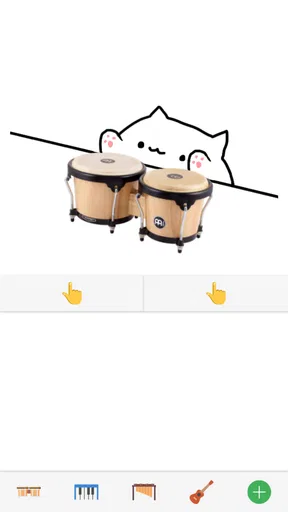
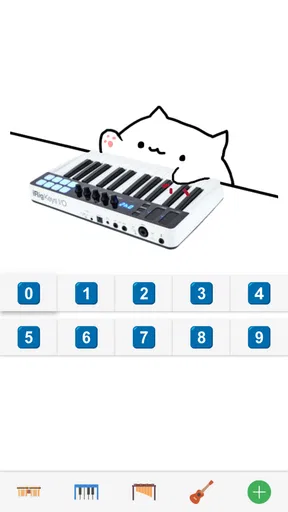
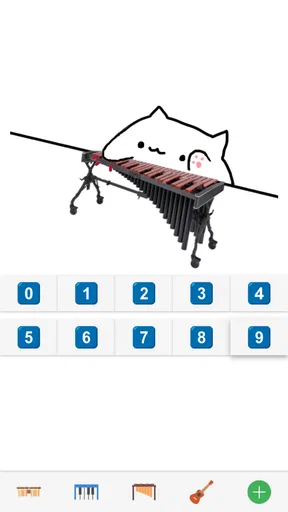
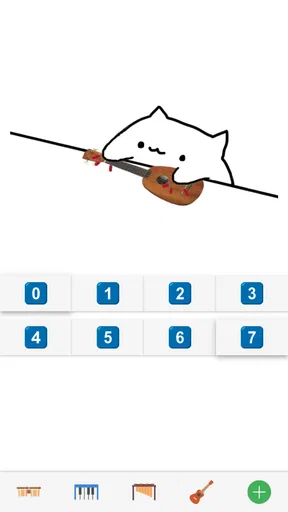
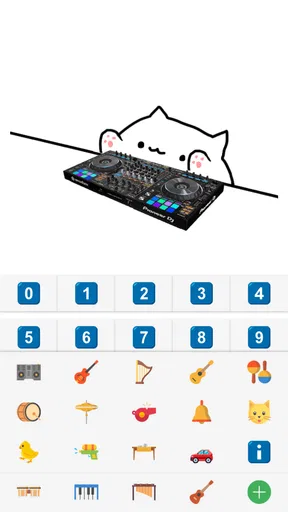
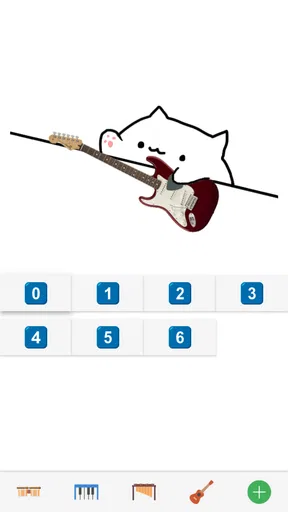
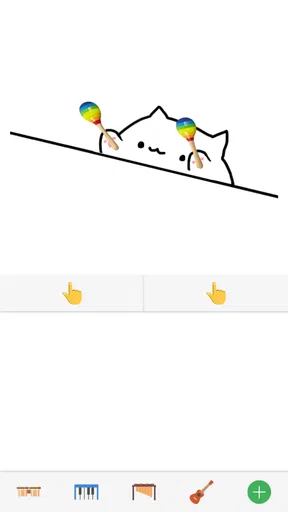
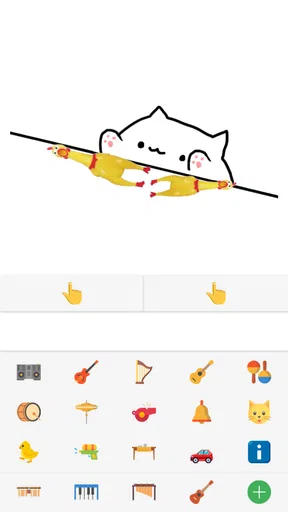
 Analysis by AppCompare
I found Bongo Cat: Musical Instruments most interesting as a tiny, low-pressure music game rather than a serious instrument simulator. Its appeal is immediate: you interact with a playful cat and make music through simple tapping. That makes it easy to understand in a few seconds, but the simplicity also defines its limits. You are not opening a full practice studio, a rhythm-game campaign, or a lesson platform. You are opening a cheerful toy that turns a spare moment into a bit of sound and interaction.
Developed by BudaCat, this free music game has reached over a million installs and holds a 4.1 average from around seventeen thousand ratings. Those figures suggest that the idea is easy for many people to pick up, and my experience fits that impression. The game works best when I want something light, quick, and visually friendly. It is especially suitable for children, casual players, and anyone who enjoys playful audiovisual feedback without having to learn complicated controls first.
How the interface feels for different players
I find that the interface’s clearest strength is how quickly it makes musical interaction feel approachable: a newcomer can focus on trying sounds rather than learning a complicated layout. That simplicity can suit casual players and shared play, though comfort with touch, animation, and sound still varies from person to person. Next, I’ll look at how those differences affect the way I’d set up a short session.
Readability and navigation
The strongest part of the experience is how quickly the central idea becomes clear. The cat is the focus, the musical interaction is the purpose, and there is very little conceptual distance between touching the screen and hearing a result. That matters for players who do not enjoy menus full of options or instructions. A first-time user can understand the basic invitation without reading a long tutorial.
The visual theme also gives the game a friendly personality. Instead of presenting itself like a technical keyboard or a conventional music workstation, it uses the charm of Bongo Cat to make interaction feel informal. I think that lowers the emotional barrier for people who might hesitate to try a music app because they assume they need rhythm skills or musical knowledge.
There is a practical advantage here for shared use. If I hand the phone to someone who has never seen the game, I do not need to explain scales, notation, timing systems, or instrument terminology before they can begin. That makes it a reasonable choice for a short family activity or a relaxed introduction to touch-based music play.
At the same time, the uncluttered presentation should not be confused with full accessibility for every visual need. A simple screen can be easier to understand, but it does not automatically solve issues involving small controls, contrast, motion, or visual tracking. Players who depend on enlarged interface elements or highly adjustable display settings may find the experience less comfortable than a more configurable music app.
Worth Reading Before You Choose

EA SPORTS FC Mobile 26 Is a Bigger Football Game, but It Takes Time

Flipboard Shows What News Apps Must Do Beyond the Feed

Switching to Android Auto Means Rethinking Your Driving Routine

Google Calendar Makes a Crowded Week Easier to Manage

Ludo King Makes the Most of the Minutes Between Plans

Baby Panda World Brings Quick Play to Modern Phones, but Its Game Library Feels Busy
Navigation is also best judged by the game’s modest scope. I would not approach it expecting a deep library of lessons, detailed sound editing, or a large progression system. Its straightforward structure is a benefit when I want instant play, but it can feel thin if I am searching for long-term goals. The same design choice that helps a beginner start quickly may leave an experienced rhythm player wanting more direction.
Motor and sensory considerations
The touch-first format makes the game approachable for people who prefer direct screen interaction. There is no need to coordinate a physical instrument, hold a pick, or manage several external controls. For a player with limited access to traditional instruments, that can make musical play feel more available. The phone becomes the entire point of contact, which is convenient in a way that a real drum kit or keyboard cannot be.
However, direct touch is not automatically easy for every motor profile. A player who has difficulty with precise taps, repeated movements, or maintaining a steady hand may find fast interaction tiring. The game’s playful nature does not remove the physical requirements of touching the intended area. I would recommend trying it with the device placed on a stable surface rather than held in one hand, especially if grip strength or hand stability is a concern.
One useful approach is to treat it as a short-session game rather than something to play continuously. Brief turns reduce fatigue and make it easier to stop before repeated tapping becomes uncomfortable. This also works well in a family setting: one person can play while another watches, then they can swap without turning the activity into a demanding performance.
Sensory comfort depends heavily on the player. The combination of animation, sound, and touch feedback is part of the charm, but those same elements may be distracting for someone sensitive to movement or sudden audio. I would start at a low device volume and test the game in a calm environment. If the visual activity feels too stimulating, playing for a short period with the phone farther away can make the experience less intense, although that may reduce precision.
The game can also be useful for players who enjoy cause-and-effect feedback. A tap that produces an immediate musical response is easier to understand than an interface where the result is delayed or hidden behind several screens. That immediacy may help someone who benefits from clear feedback. Still, it should not be mistaken for a structured therapeutic tool or a substitute for adaptive music equipment; its value is informal and recreational.
Situational access in everyday use
Where and when I use the game makes a noticeable difference. It is well suited to a short wait at a station, a quiet break between tasks, or a moment when I want entertainment without committing to a full game session. Because the concept is so compact, I can start playing without preparing a long setup. That is one reason the free price matters: there is little risk in trying it during an otherwise empty few minutes.
A realistic example would be a parent sharing a phone with a child during a restaurant wait. The child can explore the musical interaction while the adult remains nearby, and the game’s friendly presentation feels less intimidating than a traditional instrument app. The adult should still supervise the volume and the device itself, particularly if the child is very young or likely to tap repeatedly without noticing the surroundings.
It can also work as a social icebreaker. Two people can take turns making sounds and reacting to the cat’s performance, which gives the game more value than it would have as a solitary technical exercise. In that situation, the lack of complex rules is helpful because nobody has to learn a scoring system before joining in. The trade-off is that players looking for competition, rankings, or a substantial challenge may quickly run out of reasons to continue.
For travel, the game is convenient because it asks for attention rather than equipment. I would still avoid using it in places where sound could disturb others, and headphones may not be comfortable or suitable for every player. In a classroom, waiting room, or shared office, silent play would be preferable if the device and game allow the player to use it comfortably without audible feedback. Since the experience depends on music, removing sound may also reduce part of its appeal.
The game’s age rating of Everyone makes its broad family positioning clear. I see it as more appropriate for casual shared play than for mature storytelling or complex strategy. That does not mean every child will enjoy it equally. Some will want a clear goal, while others will be satisfied simply by experimenting. It is a good idea to show the game briefly before assuming it will hold a child’s attention for a long period.
What works well for inclusive play
The clearest inclusive strength is the low knowledge barrier. I do not need to understand music theory to begin, and a player can approach the interaction through curiosity instead of correctness. That makes the game less intimidating for beginners and for people who have never had access to formal music lessons.
Another strength is its flexible social role. It can be a personal distraction, a parent-and-child activity, or a quick demonstration for a friend. The same basic interaction can be enjoyed at different levels of seriousness. One person may tap casually for a few seconds, while another may try to find a more satisfying rhythm. The game does not require everyone to share the same skill level before they can participate.
I also appreciate that the game does not present casual music-making as something reserved for musicians. The playful cat changes the mood from practice to exploration. That is valuable for users who become anxious when an app feels like it is judging their performance. Here, the emphasis is on trying the interaction and seeing what happens.
For a more comfortable setup, I would use a larger phone or tablet when available, keep the screen at a readable distance, and place the device on a firm surface. Those choices are simple, but they can reduce accidental movement and make repeated interaction less tiring. If several people are sharing, giving each player a defined turn also prevents hurried tapping and makes the activity easier to follow.
Remaining barriers and trade-offs
The biggest limitation is the lack of depth compared with dedicated alternatives. A virtual piano, drum machine, or structured rhythm game usually offers a clearer reason to return: lessons, songs, practice goals, customization, or increasingly difficult challenges. Bongo Cat is better when I want a playful musical toy. It is not the option I would choose to learn an instrument, improve timing through a curriculum, or record a polished composition.
That distinction is important for users with specific goals. Someone looking for visual notation may be better served by a teaching app. Someone who needs detailed control over tempo, sound, or recording will probably prefer a music workstation. Someone who wants active competition may enjoy a conventional rhythm game more. Choosing this game makes sense when simplicity and personality matter more than depth.
There is also a potential attention barrier. The game’s charm depends on a lively presentation, but players who prefer calm, static interfaces may find that style less comfortable. Likewise, people who need very large targets, strong contrast, captions, or extensive control remapping should not assume that a cute design includes those accommodations. The absence of complexity can make the game easier to start, but it can also mean fewer ways to adapt the experience.
Short sessions are therefore the safest recommendation for a wide range of users. If tapping becomes uncomfortable, the player can stop without losing a long campaign or interrupting a complicated task. That low commitment is one of the game’s practical virtues. It also reveals its weakness: there may be little to keep a player engaged once the novelty of the interaction has passed.
The current version is 2.6, and the game supports devices running Android 8.1 or later. For someone using an older phone or an alternative mobile platform, checking device compatibility before planning to play is sensible. On a supported device, the experience is most appealing when the goal is immediate amusement rather than a demanding technical workload.
Who should try it, and who should skip it
I would recommend it to families wanting a harmless musical distraction, casual players who like expressive characters, and beginners who feel more comfortable experimenting than following instructions. It is also a nice choice for someone who wants to introduce a child or friend to touch-based music without bringing out a real instrument.
I would be more cautious about recommending it to musicians seeking practice value. The game may encourage curiosity, but it should not replace an instrument app designed around technique. I would also suggest skipping it if you need extensive accessibility customization, a clear progression system, or a quiet experience with minimal visual and audio stimulation.
The free price makes that decision easy. There is no financial commitment involved in discovering whether the playful format suits you, and the Everyone rating supports its use as a broadly approachable family game. Still, free does not mean universally suitable: comfort, sound tolerance, screen readability, and motor control remain personal considerations.
My inclusive verdict
After spending time with it, I see BudaCat’s game as a welcoming first step into casual musical play. Its best achievement is not musical realism; it is removing the feeling that music interaction must be serious, technical, or intimidating. The cat, the direct touch format, and the quick response create an inviting experience for many beginners.
Its accessibility is strongest at the level of concept and weakest at the level of detailed adaptation. Players who benefit from a simple idea and immediate feedback may enjoy it greatly. Players who need adjustable controls, reduced stimulation, or long-term structure may find that a specialized alternative serves them better.
With an average rating of 4.1 and a large community of players, it has clearly found an audience, but I would still frame it honestly: this is a charming pocket diversion, not a complete music-learning environment. If you want a friendly, low-pressure way to make musical sounds for a few minutes, it is worth trying; if you need depth or precise accessibility controls, choose a more specialized tool instead.
Pros
- Simple controls make it easy for beginners to play immediately.
- Offers a playful way to experiment with different musical sounds.
- Bright
- cute visuals make the app appealing to younger users.
- Short sessions work well for quick entertainment breaks.
- Can encourage rhythm practice and basic musical curiosity.
Cons
- Some instruments may feel limited after extended use.
- The cartoon presentation may not appeal to every player.
- Sound combinations can become repetitive over time.
- Requires device audio for the full interactive experience.
- May offer less value to users seeking serious music production tools.
FAQs for Bongo Cat: Musical Instruments
What is Bongo Cat: Musical Instruments?
Bongo Cat: Musical Instruments is a casual music app centered around the popular Bongo Cat character. It lets you interact with virtual instruments and create simple rhythms by tapping, clicking, or touching the screen. The app is designed for quick entertainment rather than professional music production, making it approachable for beginners, children, and anyone who enjoys playful sound effects and light musical experimentation.
How do you play Bongo Cat: Musical Instruments?
Playing is generally straightforward: choose an available instrument, then tap the displayed pads, keys, or controls to produce sounds. Depending on the version and device, you may be able to switch between bongos and other musical instruments, experiment with different rhythms, and enjoy animated reactions from Bongo Cat. No previous musical experience is required, although headphones can make the sound details easier to hear.
Is Bongo Cat: Musical Instruments free to download?
The app may be available as a free download, but the exact business model can vary by platform, region, and version. Some editions may include advertisements, optional purchases, or additional content that is not available immediately. Before installing, check the Google Play Store or Apple App Store listing for current pricing, in-app purchase details, age rating, and whether an internet connection is required for advertising or other features.
Does the app work offline, and does it require special permissions?
The basic instrument interactions may work without a constant internet connection, which makes the app suitable for quick play while traveling or when access to mobile data is limited. However, advertisements, updates, analytics, or online extras may need connectivity. Permission requirements can differ between Android and iOS, so review the store listing and the permission prompts carefully before granting access to device features.
Is Bongo Cat: Musical Instruments suitable for children?
The simple controls and cartoon-style presentation make Bongo Cat: Musical Instruments potentially suitable for children, especially as a casual rhythm and sound activity. Parents should still check the current age rating, advertising policy, and any in-app purchases before allowing independent use. If the app displays ads or links to external pages, parental supervision and device-level purchase restrictions are recommended for younger users.


